Senior Data Science Project: Image Captioning
Introduction
As part of my Senior Data Science Project, I’m creating a tool that automatically generates captions for images. This tool aims to help visually impaired individuals understand pictures and streamline tasks like photo tagging and social media captioning.
The model will be trained on the Flickr8k dataset, which contains thousands of images paired with captions. The goal is to build a model that can analyze an image and generate a relevant description using machine learning techniques.
Project Deliverables
The following deliverables are part of this project:
- Cleaned Data: Organize the dataset by ensuring that images and captions are properly matched.
- Working Model: A model that extracts features from images (CNN) and generates captions (LSTM/Transformer).
- Performance Check: Evaluate how well the captions align with the images.
- Visuals: Graphs and diagrams showing the model’s performance and where it focuses in the image.
- Write-Up: A brief explanation of the project and its potential applications.
Code Example: Data Loading and Preprocessing
First, I load the dataset and ensure that the images and captions are properly matched:
import pandas as pd
import os

image_path = '/Users/scotttow123/Documents/BYUI/Senior_Project/Images'
caption_file = '/Users/scotttow123/Documents/BYUI/Senior_Project/captions.txt'

try:
    data = pd.read_csv(caption_file)
    print("Data loaded successfully")
except FileNotFoundError:
    print(f"Error: The file {caption_file} was not found.")
    data = pd.DataFrame()

data.head()
Next, I remove any duplicates and handle missing captions:
# Remove duplicates
if data.duplicated().any():
    print(f"Found {data.duplicated().sum()} duplicate rows. Removing duplicates...")
    data = data.drop_duplicates()

# Handle missing captions
if data['caption'].isnull().any():
    print(f"Found {data['caption'].isnull().sum()} missing captions. Replacing with 'No caption'.")
    data['caption'] = data['caption'].fillna("No caption")

# Validate image paths
valid_image_paths = data['image'].apply(lambda x: os.path.exists(os.path.join(image_path, x)))
if not valid_image_paths.all():
    print(f"Found {(~valid_image_paths).sum()} invalid image paths. Removing these rows...")
    data = data[valid_image_paths]
The code above ran successfully, indicating:
Found 10 duplicate rows. Removing duplicates...This confirmed that there were duplicates within the Flickr dataset.
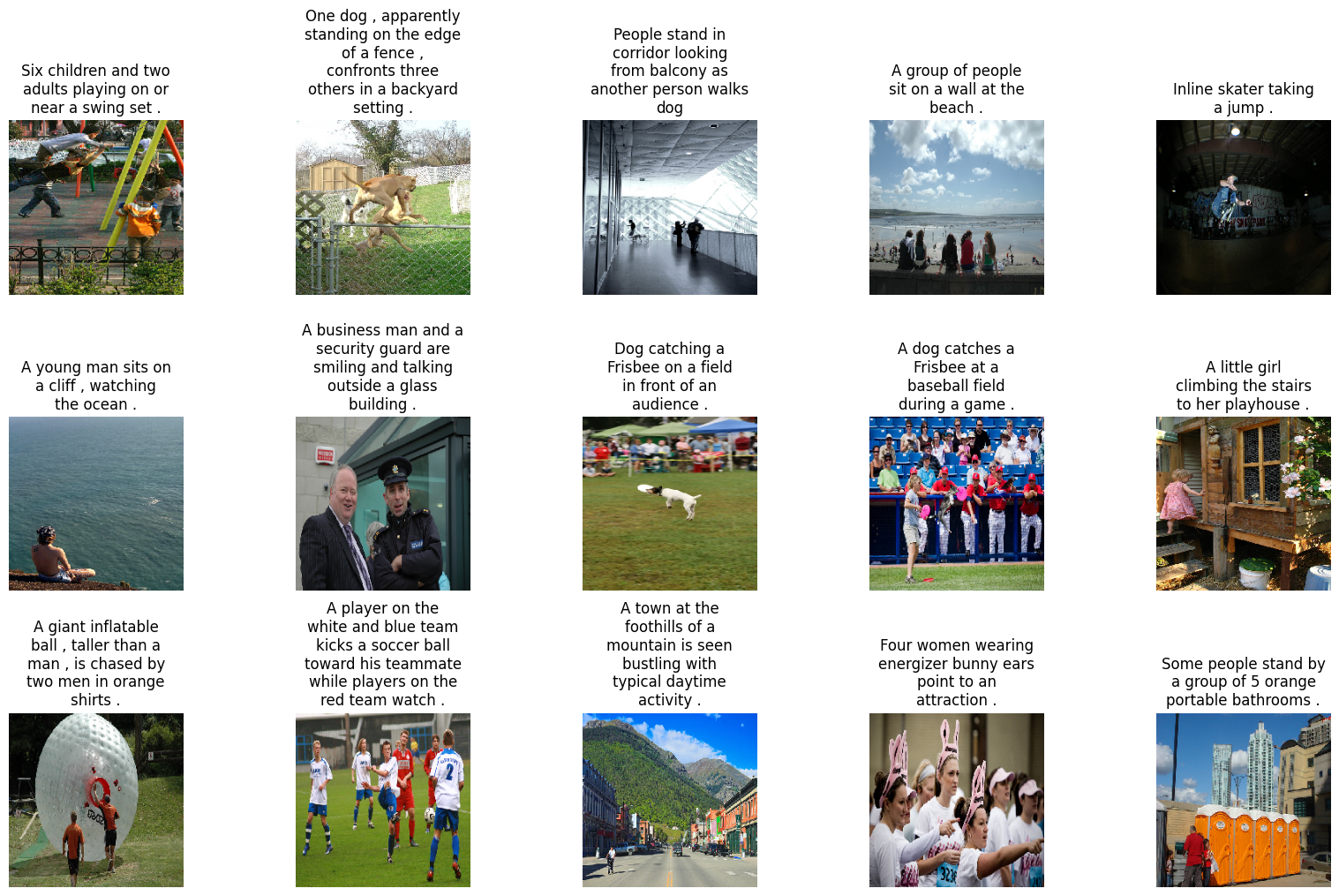
To visualize a sample of images with their captions, I used:
display_images(data.sample(15))This line of code shows a random sample of 15 images with their respective captions.
Text Preprocessing
Finally, I implemented text preprocessing to clean and format the captions:
def text_preprocessing(data):
    data['caption'] = data['caption'].apply(lambda x: x.lower())
    data['caption'] = data['caption'].apply(lambda x: x.replace("[^A-Za-z]", ""))
    data['caption'] = data['caption'].apply(lambda x: x.replace("\s+", " "))
    data['caption'] = data['caption'].apply(lambda x: " ".join([word for word in x.split() if len(word) > 1]))
    data['caption'] = "startseq " + data['caption'] + " endseq"
    return data

data = text_preprocessing(data)
captions = data['caption'].tolist()
captions[:10]
['startseq child in pink dress is climbing up set of stairs in an entry way endseq',
'startseq girl going into wooden building endseq',
'startseq little girl climbing into wooden playhouse endseq',
'startseq little girl climbing the stairs to her playhouse endseq',
'startseq little girl in pink dress going into wooden cabin endseq',
'startseq black dog and spotted dog are fighting endseq',
'startseq black dog and tri-colored dog playing with each other on the road endseq',
'startseq black dog and white dog with brown spots are staring at each other in the street endseq',
'startseq two dogs of different breeds looking at each other on the road endseq',
'startseq two dogs on pavement moving toward each other endseq']This code ensures that captions are converted to lowercase, unwanted characters are removed, and sequences are formatted with start and end tokens. Above we can see a snippet of what this looks like.
With the data cleaned and preprocessed, I am now ready to move on to building and training the image captioning model. More updates to come!